From Lua Scripts to “Wait, Just Do It” — Building Apps with an AI Co-Pilot

I’ve been making iOS apps for a while now. Nothing that’s going to unseat Apple’s stock price, but useful little things — scorecard apps for games my family plays, tools built to scratch specific itches. For years, the way I built them was with Corona SDK (now Solar2D), a cross-platform framework that let you write apps in Lua and deploy them to iOS, Android, and Amazon Fire devices from a single codebase.

Corona was genuinely clever. Lua is a lightweight, readable scripting language, and Corona wrapped it in a framework that handled the native platform stuff — touch events, device APIs, the App Store pipeline. For someone who just wanted to make things, it was a revelation. I shipped several apps through it: scorecard trackers for Mexican Train dominoes, a card game called 13, mini golf. They worked. They weren’t pretty by modern standards, and they had the aesthetic personality of a utility bill, but they worked. I even ported several of them to Android and Amazon Fire — something that would have been a major undertaking in native code but was almost trivially easy with Corona’s write-once approach.

Like many things, I ran out of runway. I kept tinkering. But there was always a ceiling. I knew what I wanted an app to be, but translating that into real, modern, native SwiftUI code was something I just couldn’t bring myself to do. I could manage. But “manage” and “build the thing you actually want” are two very different things.

Enter the AI Co-Pilot Era

Using AI to help write code is not a new idea. GitHub Copilot has been around for years. But something changed in the last three or four months that I don’t think gets talked about enough: the capability has gone through the roof. We’re not talking about autocomplete on steroids anymore. We’re talking about describing what you want in plain English and watching it get built.

I started using OpenAI’s Codex and then Claude Code — Anthropic’s agentic coding tool — and the experience shifted from “helpful assistant” to something closer to having a senior engineer sitting next to me who never gets tired, never judges the question, and never says “that’s going to be a lot of work.”

That last part matters. A lot.

The Sorting Moment

Here’s a small story that captures it perfectly.

I was working on AC Mini Golf 2 — my latest golf scorecard app, built natively in SwiftUI with CloudKit multiplayer, QR code sharing, color-coded players, six themes. At some point I was staring at the player list and thought: it would be nice if you could sort the names alphabetically.

And then immediately: oh, that’s so much work.

Sorting sounds simple. But when you’ve got a list and scores and session state — reordering isn’t just swapping two strings. There’s state management, UI animation, making sure the sort doesn’t wreck a live multiplayer session. So I filed it under “someday” and moved on.

Then about thirty seconds later I thought: wait. I have an expert programmer sitting right here.

Ten minutes later, the app could sort player names. Alphabetical sort, respects multiplayer state, animated transition, the whole thing. I spent more time thinking “that’s too hard” than it actually took to build. That’s the shift. It’s not that AI writes perfect code every time — it doesn’t. It’s that the activation energy for tackling something “too hard” has dropped to almost zero.

The Apps

Here’s where things stand today — Corona-era roots, SwiftUI branches, reverse chronological order, all free on the App Store:


AC Mini Golf 2 — Mini Golf Scorecard App

Up to 15 players, 18 holes, QR code multiplayer, six color themes, and win/loss history. The newest and most full-featured of the bunch.


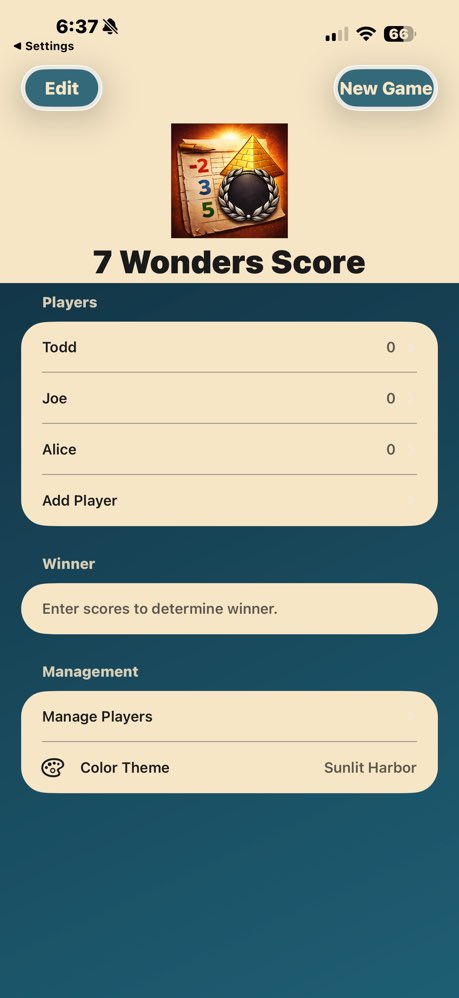
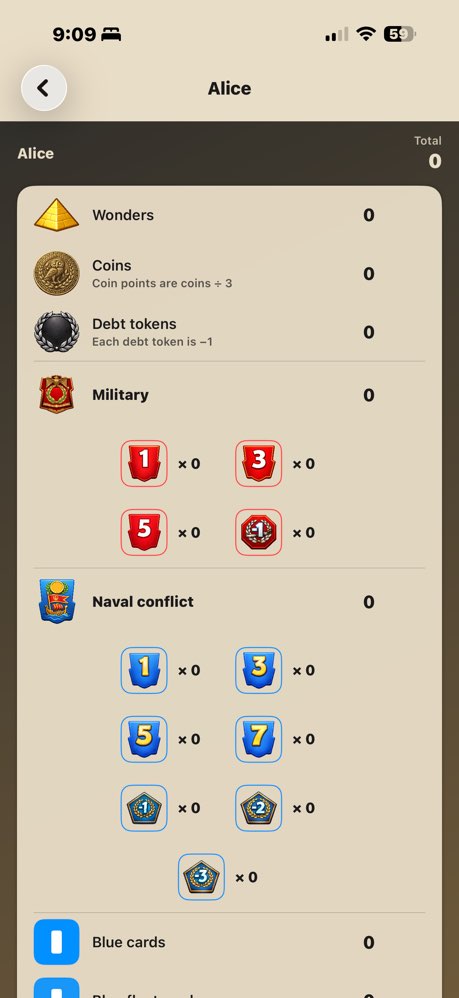
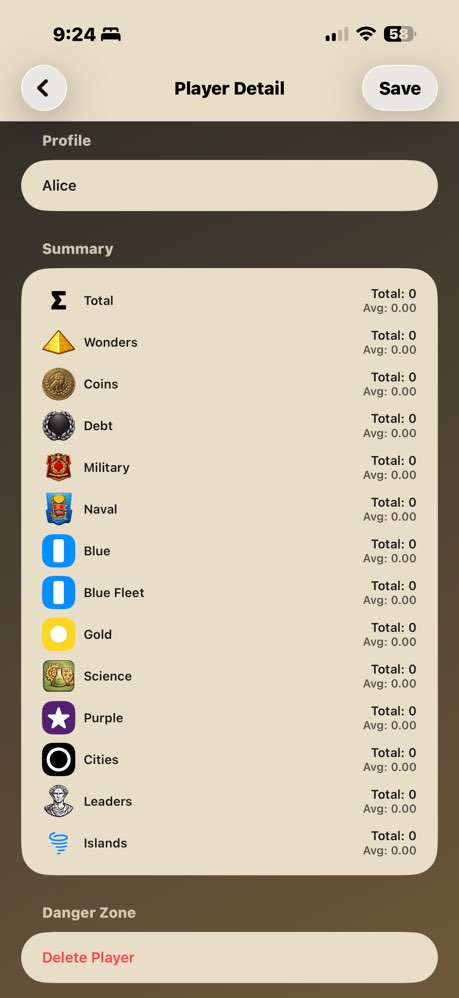
AC7WondersScoreCard — 7 Wonders Board Game Scorer

Full scoring for 7 Wonders — military tokens, coin tracking, science calculations, and all expansion support.
AC Mexican Train 15 — Mexican Train Dominoes Score Tracker

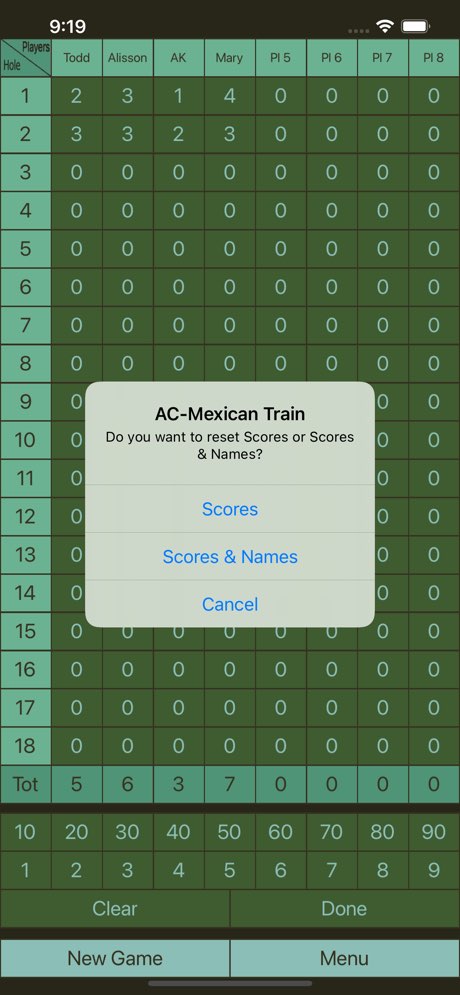
Mexican Train dominoes scoring for 15 rounds, with automatic totals and round tracking.


AC Mexican Train Scorecard — Domino Score Keeper

A clean, simple scorecard for Mexican Train double 12 perfect for casual games where you just want to keep score.


AC Mini Golf Score Card — Mini Golf Score Tracker

The original mini golf tracker. Simple, fast, and gets out of your way.


AC-Thirteen Score — Thirteen Card Game Scorekeeper

Scorekeeper for the Thirteen card game. Tracks multiple rounds and running totals automatically.

What’s Changed

The Corona-era apps were functional. The new ones feel like mine — designed the way I want them, with the features I actually want, rebuilt from scratch in modern Swift. The difference isn’t just technical polish. It’s that I’m no longer editing around my own limitations.

If you’ve got an app idea you’ve been putting off because you don’t code, or because you code a little but not enough — the last few months have genuinely changed the math on that. I’m not saying it’s push-button easy. There’s still debugging, still architecture decisions, still moments where you have to understand what’s happening. But the ceiling? The ceiling is gone.

All six apps are free. No subscriptions, no ads, no accounts required. Just download and play.
Smoke Detectors: The Rant Continues (Or, Be Careful What You Wish For)

The History

[With Continued Apologies to Dennis Miller]

Twenty-two years ago, I posted a rant on a now-defunct forum about smoke detectors. Seven years later, I reposted it on this blog because the situation had not improved. Now, in 2026, I’m here to report that things have both gotten better and spectacularly worse.

I don’t want to get off on a rant here, but if I’ve learned anything in the past two decades, it’s that the universe has a wicked sense of irony.

The Journey

When I moved to a new house, it didn’t have hard-wired smoke detectors. You’d think I would have been thrilled—no more Heisenberg uncertainty principle draining batteries that were supposed to be backups for a wired system! But no, building codes are a thing, so I needed smoke detectors.

I considered the fancy Nest ones. They were sleek. They were smart. They were expensive. And after my decades-long battle with smoke detector batteries, I was deeply concerned about trusting my life to something that relied entirely on batteries, no matter how “smart” they claimed to be.

So I tried Z-Wave detectors for a while. They would talk to my home automation system! They could send me notifications! The future had arrived! Except the future was flaky. They were hard to keep paired. Every time I changed home automation platforms (and oh, have I changed platforms), I’d have to re-pair them. Or try to re-pair them. Or curse at them while standing on a ladder trying to get them to pair.

Eventually, I settled on a compromise. Originally just three—one on each floor, like in the old days. But then a few years ago, I upgraded. I got the fancy ones. The ones that wirelessly link to each other. The ones that have voice announcements and know what room they’re in. Seven of them. One for each bedroom, plus the usual suspects.

And friends, this is where I need to tell you about the danger of getting what you wish for.

4:30 AM: A Cautionary Tale

Remember how in my original rant I asked for a smoke detector that would talk to me? That would say, “Excuse me Mr. Whitehead, but your batteries are dying, please add them to the shopping list”?

Well, at 4:30 this morning, I got my wish.

“THE KITCHEN SMOKE DETECTOR BATTERY IS LOW! PLEASE REPLACE THE BATTERIES!”

It SCREAMED it, because Smoke Detectors only have one volume. But, I still wasn’t sure what the heck it was. But then, because I have seven smoke detectors that are wirelessly linked, the others all wanted to share the news:

Hall: “THE KITCHEN SMOKE DETECTOR BATTERY IS LOW! PLEASE REPLACE THE BATTERIES!”

Bedroom: “THE KITCHEN SMOKE DETECTOR BATTERY IS LOW! PLEASE REPLACE THE BATTERIES!”

Other bedroom: “THE KITCHEN SMOKE DETECTOR BATTERY IS LOW! PLEASE REPLACE THE BATTERIES!”

Other other bedroom: “THE KITCHEN SMOKE DETECTOR SMOKE BATTERY IS LOW! PLEASE REPLACE THE BATTERIES!”

Other other other bedroom: “THE KITCHEN SMOKE DETECTOR SMOKE BATTERY IS LOW! PLEASE REPLACE THE BATTERIES!”

assume the basement one did too, but it was too far away for me to hear, which was the only mercy the universe granted me that morning.

Then, as if that wasn’t delightful enough, the kitchen smoke detector began its chirping. Remember chirping? That hasn’t gone away. Every. Thirty. Seconds.

It was a weekday, and on weekdays, I wake up at 5:30. But here’s the thing about getting woken up at 4:30: if you try to go back to sleep, your body says “nope, we’re sleeping until noon now, those are the rules.” So I laid there, listening to the chirp, counting the seconds between beeps (still thirty, after all these years), doing the math on how many chirps I’d hear before my alarm went off (120, if you’re curious).

At around 5:20, I gave up and dragged myself out of bed to replace the battery. And here’s where the engineers really outdid themselves. I put the new batteries in and:

“THIS IS A SMOKE DETECTOR! IT IS ASSIGNED TO THE KITCHEN! PRESS THE BUTTON TO CHANGE THE ASSIGNMENT!”

slight pause

“PRESS THE BUTTON TO TEST THE SMOKE DETECTOR!”

What a delightful way to start the day. I’m tired.

What I Wished For vs. What I Got

In my 2004 rant, I had some very reasonable requests:

  • A clock that waits until 6 PM to alert me
  • A motion detector that only beeps when someone is around
  • Internet access to email me when batteries are low
  • Cost no more than $19.95

What I got:

  • Voice announcements (Careful what you wish for)
  • At maximum volume (Nobody asked for this)
  • At 4:30 AM (Also nobody asked for this)
  • That wake up all seven detectors in series (DEFINITELY nobody asked for this)
  • And cost way more than $19.95 (Of course)

You see, the engineers heard “talk to me” but apparently didn’t hear “use your indoor voice” or “wait for a reasonable hour” or “maybe check if I’m asleep.” Smoke detectors still only have one volume setting: EMERGENCY. Which, I suppose, makes sense for actual smoke, but seems a bit excessive for “hey, you might want to add AA batteries to your shopping list sometime in the next few days.” (You know, that IS one nice change, they’ve moved away from 9 volts to the much more common AA’s.)

The Setup Experience

I should mention that setting up these voice-enabled, room-identifying smoke detectors was about as much fun as you’d expect. Each one needs to be programmed with its location. And how do you program them? By holding down buttons while it screams at you about its various functions.

Remember, it only has one volume: EMERGENCY. So picture me, standing on a ladder, holding a button while this thing yells “THIS IS A SMOKE DETECTOR! PRESS THE BUTTON TO ASSIGN IT TO THE KITCHEN!” at full volume. Then the next one: “THIS IS A SMOKE DETECTOR! PRESS THE BUTTON TO ASSIGN IT TO THE KITCHEN!” <press> “BASEMENT!” <press> “HALLWAY!” <press> “BEDROOM!

My neighbors must have thought I was running some kind of smoke detector training facility.

The Ten-Year “Solution”

Now, I know what you’re thinking: “Todd, there are smoke detectors now with ten-year sealed batteries! Problem solved!”

And you’re right! They exist! The battery lasts for ten years! Of course, most people live longer than ten years [citation needed], which means you still have to deal with this nonsense eventually. Plus, and this is the part nobody mentions in the ads, after ten years you have to replace the entire detector. (Although, something this important maybe that’s the longest you should wait before replacing them?)

So instead of dealing with a $8 battery every year or two, you get to deal with a $40-60 detector every decade. The engineers have successfully taken an annual minor inconvenience and turned it into a less frequent major inconvenience. This is technically progress.

But more importantly, you still have the core problem: that ten-year battery is going to start complaining at some point. And when it does, is it going to wait until 6 PM? Is it going to send you a polite email? Is it going to check if you’re asleep?

No. It’s going to scream at you at 4:30 in the morning. (And unless you happen to have a cupboard full of spare smoke detectors, your only choice until you get a replacement is to turn it off, and not have a detector at all.)

What I’ve Learned

In twenty-two years, I’ve learned that smoke detector engineers have mastered exactly one thing: making sure I know when batteries are dying. They have not mastered:

  • Timing
  • Volume control
  • Basic consideration for human sleep cycles
  • The concept that not all alerts require the same urgency level
  • Reading product reviews from the last two decades

But mostly, I’ve learned to be very, very careful what I wish for. Because somewhere, there’s an engineer reading this right now thinking, “You know what would make this better? If the smoke detectors could detect when you’re in REM sleep and specifically alert you then, because that’s when you’re least likely to ignore them!”

And in 2037, I’ll be writing “Smoke Detectors: The Rant Continues (Part 3)” about how my smart smoke detectors now integrate with my sleep tracker to wake me during my deepest sleep for maximum alertness.

The Dream Lives On

Of course, what I’d still like to see is a smoke detector with:

  • A clock that waits until waking hours to announce non-emergency alerts
  • Different volume levels for “your house is on fire” vs. “add batteries to your shopping list”
  • Integration with home automation that doesn’t randomly unpair itself
  • An understanding that if I have six smoke detectors, they don’t all need to announce the battery status of the one in the kitchen
  • The ability to send a notification to my phone like literally every other smart device in my house
  • AI that can determine whether I’m awake before screaming at me (we have AI for everything else now, surely this isn’t too much to ask)
  • And I’d still like it to cost no more than $19.95 (adjusted for inflation: $32.48)

But that’s just my opinion. I could be wrong.

I probably am. The engineers are already planning their next “improvement.”

I’m going to go take a nap now. If my smoke detectors wake me, I’m converting my house to sprinklers only.

Originally ranted in 2004 on LauncherXPlanet forums, reposted in 2011 on this blog, and continuing to be relevant twenty-two years later because some problems never die—they just get voice announcements.

M*A*S*H the Way It Was Meant to Be Seen

When the TV series M*A*S*H was being produced, creators Larry Gelbart and Gene Reynolds didn’t want a laugh track. They were making a show about war, about surgeons trying to save lives in impossible conditions, and canned laughter felt… wrong. CBS studio executives disagreed. They’d never produced a comedy without a laugh track and weren’t about to start. The compromise? No laugh track during operating room scenes. Gelbart later said, “I always thought it cheapened the show. The network got their way.”

M*A*S*H Without the Laugh Track

When M*A*S*H released a DVD set that included a soundtrack option that removed the laugh track, I was enthralled. I heard so many lines that I’d missed because the laughter had drowned them out. If you haven’t watched M*A*S*H without the laugh track, it’s a whole different experience.

CBS relented and agreed not to use the laugh track in surgery, but surgery wasn’t the only place where the horror of war existed. The 4077th wasn’t a hospital that happened to be near a war, it was the war. The wounded arrived in waves. The dead were counted in batches. The futility and exhaustion and gallows humor weren’t confined to the operating room; they permeated every scene, every conversation, every quiet moment between the chaos.

And the laugh track cheapened all of it.

Without it, M*A*S*H becomes what it was always meant to be: a comedy about tragedy. The jokes land harder because they’re not punctuated by canned applause. The silences hit differently. You realize that Hawkeye’s wisecracks aren’t just punchlines, they’re survival mechanisms.

Upscaling Changes Everything

A few years ago, I got a tool that used AI to upscale video. I used it to upscale M*A*S*H, and it was transformative.

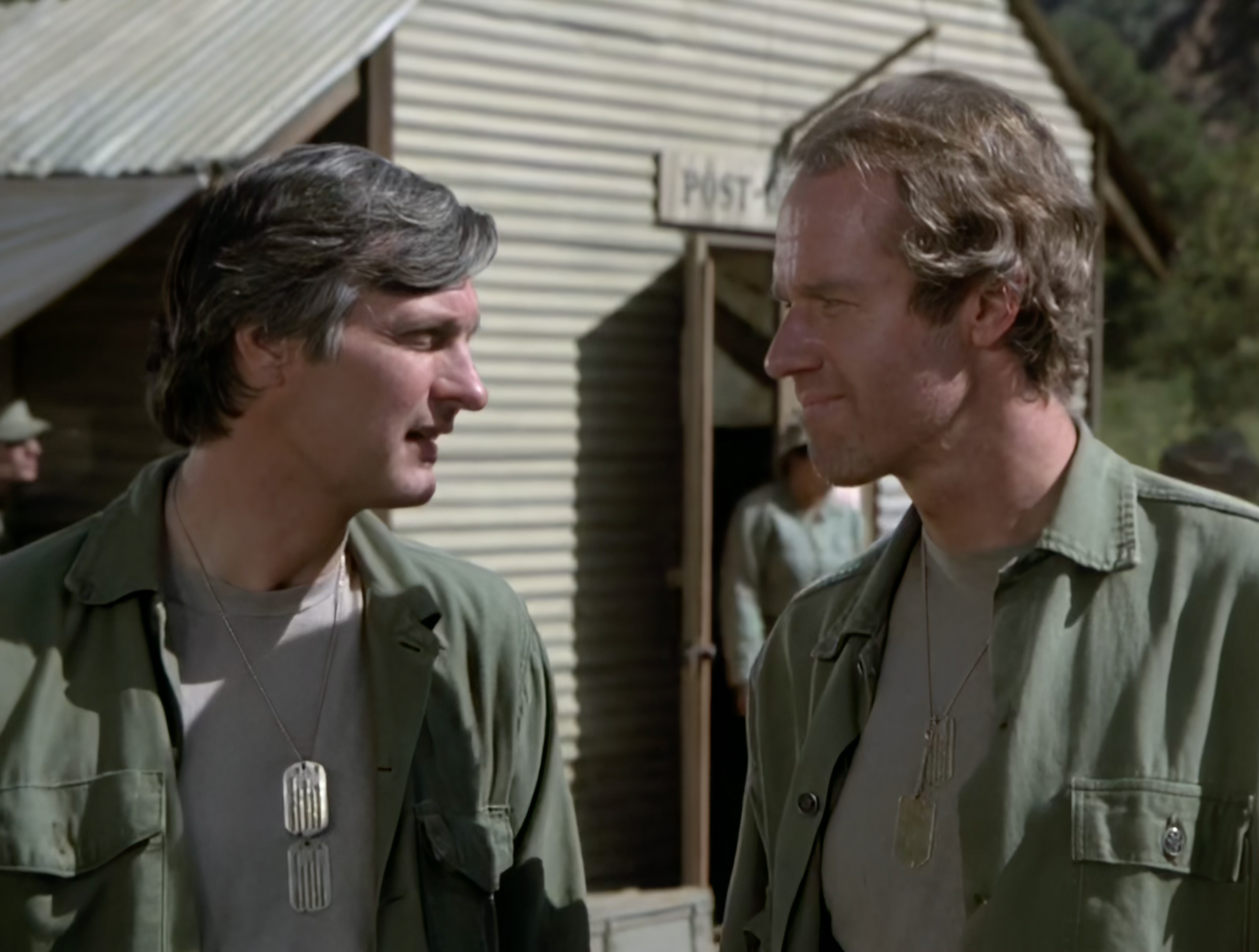
I suddenly saw all kinds of details that I hadn’t noticed before. Trapper John’s duffel bag has “John Francis Xavier McIntyre” stenciled on his duffel bag. Clear as day. I’d watched that scene a dozen times and never caught it.

There are numerous places where you can see things that were missed in the original broadcast. Little details that were always there, just buried in the grain and resolution limits of 1970s television.

Now, I know that you can watch M*A*S*H in “high def” on streaming now.

But that’s crap.

The Widescreen Problem

They made it 16:9.

You cannot take a show that was shot in 4:3 and make it 16:9 and call it good. When you do that, you’re either cropping the top and bottom (losing part of the frame) or stretching the image (distorting everything). Either way, you’re seeing maybe 60% of what was meant to be seen.

Friendsmostly got away with it, but even then, they went back to the original film and lost a lot of the DVD extras, extended scenes that had been included in the DVD releases but weren’t available in high-res for the widescreen transfer. And even with Friends, there are scenes where you can see the actors talking to stand-ins, or set dressing that was never meant to be in frame. The show was blocked and lit for 4:3. Anything outside that frame was never intended to be seen.

But of the shows I’ve seen so far, Friends is the only one that comes close to making the 4:3-to-16:9 transition work.

Seinfeld was famously ridiculed for their 16:9 treatment. When it hit Netflix in 4K, fans immediately noticed that visual gags were being cut off. In the episode “The Pothole,” the pothole, you know, the thing the episode is named after, doesn’t even appear in the widescreen version. It’s cropped out. Jokes were literally removed from the frame.

If a show was shot in 4:3, it’s okay to make it higher definition. But keep it in 4:3. That’s the aspect ratio it was designed for. That’s how the cinematographer framed it. That’s how the director blocked it. That’s what the audience was supposed to see.

My Version

My version of M*A*S*H is in 4:3. Upscaled. No laugh track.

It’s how the show was meant to be seen, and I, and my friends and family who come over, are the only ones who can see it that way.

Every time someone watches it at my house for the first time, they’re surprised by how different it feels. The jokes are sharper. The drama is heavier. The details are visible. You’re not watching a sitcom with a laugh track awkwardly bolted on. You’re watching a war comedy, emphasis on both words, that respects its audience enough to let them decide when something is funny, and when it’s just sad.

Streaming services want everything in widescreen because it looks “better” on modern TVs. They want everything in 4K because higher numbers sell subscriptions. But in the process, they’re butchering the original intent, cropping out jokes, and covering up the flaws that were never meant to be visible in the first place.

I get it. Most people don’t care. They just want to watch the show.

But if you’ve ever wondered why Seinfeld feels off on Netflix, or why M*A*S*H doesn’t hit the same way you remember, or why you can see boom mics in the widescreen version of Friends, this is why.

Because 4:3 wasn’t a limitation. It was a decision.

And my version of M*A*S*H honors that decision. No laugh track. No cropping. Just the show the way Gelbart and Reynolds wanted you to see it.

Do you watch anything in its original aspect ratio? Or am I the only one who cares about this? Let me know in the comments.

My Digital Camera History

I’ve been using digital cameras for a long time. In the beginning, the quality wasn’t the best. My wife wasn’t totally impressed with the quality, but I liked the convenience and the easy way to keep my pictures backed up. So, for a while, we each had a camera and took our own pictures with our own camera. My daughter probably felt like she was being chased by Paparazzi. (Or she would have if she hadn’t been so young.)

Continue reading “My Digital Camera History”

Apple Watch: Check-in After a week

IMG_6690 (1)

I’ve had the watch a little over a week now. Saturday, I ran into the first relatively major glitch. I got my watch while I was cutting the grass and finished cutting it wearing the watch, but using my iPhone for music. This past Saturday was the first time I cut the grass since I got the watch. I had loaded music onto the watch, I paired my Plantronics Bluetooth headphones to the watch and started cutting the grass without my iPhone for the first time in years.

Continue reading “Apple Watch: Check-in After a week”

Apple Watch Doesn’t NEED GPS: Use 1960’s Technology Instead

10410228_10202077400524438_2525357456359360168_n

On July 9, 1985, I boarded a plane at Dayton Airport and few to San Antonio, Texas where I entered Air Force Basic (it’s hard not to type that as BASIC) training at Lackland Air Force Base. I spent 6 weeks there and then 30+ weeks at Keesler Air Force Base in Biloxi, Mississippi. I had taken the Armed Services Vocational Aptitude Battery and scored well enough to choose whatever field the base (I was joining the Ohio Air National Guard, so unlike regular Air Force enlistees, I knew where I was going to end up after I finished tech school) had an opening for. I decided to become an Inertial and RADAR Navigation Specialist. I would be maintaining and repairing navigation systems on LTV A-7 Corsair II Fighter jets. This jet first flew 2 years before I was born and the dates on the tails of the ones at our based ranged from 1968 to 1972. They weren’t exactly high tech (by 1985 standards) and are ancient by today’s standards. But, they had a technology that I’ve been hearing a lot lately, and, based on what I know about it from my Air Force training, I’m wondering if we are using the technology to its fullest potential.
Continue reading “Apple Watch Doesn’t NEED GPS: Use 1960’s Technology Instead”

How to Keep Gmail, but Not Actually Use it

I’ve been using Gmail since it was first introduced. I’ve had my own domain since 1996, and in 2000, registered a second domain.

When Google introduced the Google Apps product, I moved my mail for both domains to it. I still have grandfathered free accounts there. So, all of my mail goes through these two domains. I have an account on both of them, but I forward one to the other and only ever really set one of them up in my mail clients. I’ve been pretty happy with the Gmail service until I got my new iPhone 5s.
Continue reading “How to Keep Gmail, but Not Actually Use it”